
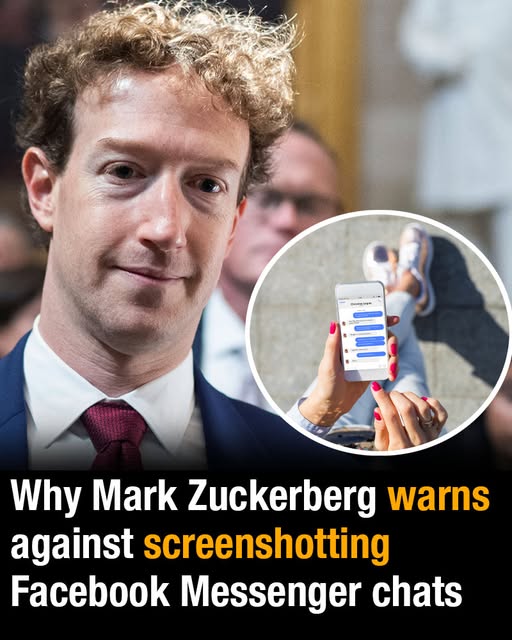
Messenger Screenshot Alerts Explained After Mark Zuckerberg’s Privacy Update
Meta CEO Mark Zuckerberg once made it clear that taking screenshots in certain Messenger conversations may not go unnoticed.
The Facebook founder announced a privacy-focused Messenger update in January 2022, explaining that users would be notified when someone captured a screenshot of disappearing messages inside end-to-end encrypted chats.
The update was designed to give people more awareness and control when using Messenger’s encrypted conversation features, especially in chats where messages are meant to disappear shortly after being viewed.
Zuckerberg Announces Messenger Screenshot Notifications
In January 2022, Zuckerberg shared details of a Messenger update aimed at improving privacy in end-to-end encrypted conversations.
The update focused on disappearing messages, a feature that allows messages to vanish after they have been seen or after a short period of time.
Zuckerberg explained that if someone screenshots a disappearing message in an end-to-end encrypted Messenger chat, the other person may receive a notification.
“New update for end-to-end encrypted Messenger chats so you get a notification if someone screenshots a disappearing message,” Zuckerberg wrote in a Facebook post.
The announcement quickly attracted attention because screenshots have long been one of the easiest ways for people to save private conversations.
For users who rely on disappearing messages, the ability to know when a screenshot has been taken can feel like an important privacy safeguard.
A Demonstration With Priscilla Chan
To show how the feature worked, Zuckerberg shared a screenshot of a Messenger conversation with his wife, Priscilla Chan.
The example was meant to demonstrate the type of notification a person might see if someone captured a disappearing message inside an encrypted chat.
By using a personal conversation as the example, Zuckerberg showed the update in a familiar setting rather than describing it only in technical terms.
The demonstration helped explain that the feature was not intended for every ordinary Messenger message in every type of conversation.
Instead, it applied to disappearing messages inside end-to-end encrypted Messenger chats, which are designed to offer a more private form of communication.
Zuckerberg also noted that encrypted chats were receiving additional features beyond screenshot notifications.
“We’re also adding GIFs, stickers, and reactions to encrypted chats too,” he added.
Can Someone See If You Screenshot on Messenger?
The answer depends on the kind of Messenger chat and the type of message involved.
The screenshot notification feature announced by Zuckerberg applies to disappearing messages in end-to-end encrypted Messenger chats.
That means it is not simply a universal alert for every screenshot taken anywhere on Messenger.
If a person screenshots an ordinary chat or a message that is not part of the disappearing-message feature in an encrypted conversation, the same notification rule may not apply.
The update was specifically tied to privacy features built around encrypted chats and messages that are designed to vanish.
That distinction matters because many users hear about screenshot alerts and assume they apply across the entire app. Zuckerberg’s announcement focused on a narrower feature connected to disappearing messages.
Why Disappearing Messages Matter
Disappearing messages were introduced as a way to make conversations feel more temporary.
When users choose this kind of messaging, the expectation is that the content will not remain permanently visible in the chat.
That can be useful for people who want certain exchanges to feel more private or less permanent.
However, disappearing messages have a clear weakness: someone can still attempt to preserve them by taking a screenshot.
The screenshot notification update was meant to address that problem by alerting the other person when a disappearing message is captured.
It does not necessarily prevent someone from saving information, but it can make the act visible to the person on the other side of the conversation.
A Response to Privacy and Security Concerns
The Messenger update followed growing conversations about privacy and security on social media and messaging platforms.
As more people used private chats for personal conversations, concerns increased over how easily messages could be saved, shared, or misused.
End-to-end encryption is meant to provide additional protection by limiting who can access the content of a conversation.
Disappearing messages add another layer by making content temporary.
Screenshot notifications add yet another layer by warning users when someone tries to capture a message before it disappears.
Together, those tools were positioned as part of a broader effort to make encrypted Messenger conversations more secure and more transparent for users.
Users Quickly Pointed Out Possible Loopholes
Despite the privacy-focused announcement, many users were not convinced that screenshot alerts would fully solve the problem.
Zuckerberg’s post received more than 94,000 comments, and many people focused on ways someone might still save a conversation without triggering the intended warning.
Some argued that people could use screen recording instead of taking a traditional screenshot.
“Screen recorder will do I guess,” one person commented, according to VT.
Others suggested that someone could simply use another device to photograph the conversation from the screen.
“What if someone used another mobile phone to take a photo of the conversation?” another wrote.
More Users Question the Effectiveness
The comments continued with more examples of possible workarounds.
One person suggested that users would avoid screenshots entirely and turn to another phone to capture images of a private chat.
“Now we will use another mobile for capturing photo instead of screenshot,” a third person added.
Another user claimed that disconnecting from the internet before taking a screenshot could avoid detection.
“You turn the wifi/ data off then you take the screenshot .. you turn it on again and you keep messaging like a hero,” another user claimed.
The reactions showed that while the update was welcomed by some privacy-conscious users, others immediately questioned how reliable it would be in practice.
Many people understood that a notification feature might discourage casual screenshots, but it could not stop every possible method of saving a conversation.
The Limits of Screenshot Alerts
Screenshot notifications can increase transparency, but they do not make digital conversations impossible to copy.
If a person is determined to preserve a message, they may look for ways around the system.
That can include using another phone to take a picture, recording the screen, or finding other methods that do not rely on the standard screenshot function.
This is why users should understand that disappearing messages and screenshot alerts are privacy tools, not complete guarantees.
They can reduce risk and make certain actions more visible, but they cannot fully control what another person does with information once it appears on their screen.
The update still matters because it creates accountability in situations where someone uses the regular screenshot function inside the supported type of chat.
Why the Feature Still Matters
Even with possible loopholes, screenshot alerts can influence behavior.
When users know the other person may be notified, they may think twice before capturing a disappearing message.
That warning can help protect conversations where both people expect the messages to remain temporary.
It also gives the sender more information. If a screenshot is taken, the person can decide whether to continue the conversation, confront the issue, or change how they communicate.
In that sense, the feature is not only about preventing screenshots. It is also about helping people make informed decisions about trust and privacy.
For many users, simply knowing that a screenshot was taken can be important.
End-to-End Encrypted Chats Become More Feature-Rich
Zuckerberg’s announcement also mentioned that Messenger’s encrypted chats were becoming more interactive.
Along with screenshot notifications, Meta added GIFs, stickers, and reactions to encrypted chats.
That part of the update mattered because encrypted conversations can sometimes feel more limited than ordinary chats.
By adding familiar Messenger features to encrypted chats, Meta aimed to make private conversations feel more like standard messaging experiences.
The goal appeared to be combining privacy features with the casual tools people already use in everyday conversations.
That meant users could have encrypted chats without losing some of the expressive features that make messaging feel natural.
What Users Should Remember
The most important point is that Messenger screenshot alerts do not apply to every screenshot everywhere on the platform.
The feature Zuckerberg described applies to disappearing messages in end-to-end encrypted chats.
Users should not assume that every Messenger conversation automatically warns the other person when a screenshot is taken.
It is also important to remember that notification systems have limits. Even when a screenshot alert exists, someone may still try to save a conversation in another way.
That means users should be cautious about what they share digitally, even in private or disappearing-message settings.
Privacy tools can help, but they cannot replace careful judgment about sensitive information.
A Privacy Update That Sparked a Larger Conversation
Zuckerberg’s Messenger update did more than introduce a new notification feature. It sparked a larger discussion about what digital privacy can realistically provide.
Some users saw the change as a helpful improvement for encrypted chats. Others immediately pointed out that determined users could still preserve messages through workarounds.
The debate showed how difficult it is for messaging platforms to balance convenience, privacy, and user behavior.
Disappearing messages can make chats feel safer, but they cannot fully erase the risks of sharing information with another person.
Screenshot notifications add a layer of awareness, but they do not make conversations completely impossible to copy.
For Messenger users, the update remains a reminder that privacy features are useful, but they work best when paired with trust and caution.
The Bottom Line on Messenger Screenshots
Mark Zuckerberg’s January 2022 announcement made one thing clear: in certain Messenger chats, screenshots can trigger a notification.
That applies specifically to disappearing messages in end-to-end encrypted conversations.
The update was part of a broader effort to strengthen privacy tools on Messenger and respond to concerns about how private messages can be saved or shared.
At the same time, users quickly noted that the feature may not stop every possible workaround, such as using another device or attempting other methods of capturing the screen.
The feature therefore works as a warning and accountability tool rather than a perfect privacy shield.
For anyone using Messenger, the safest approach is to remember that anything displayed on a screen can potentially be preserved. Screenshot alerts can help, but they cannot fully replace careful decisions about what is shared in a private chat.