
Why a Green Dot Appears on Your Android Phone and What It Means for Your Privacy
The topic of Green Dot Appears raises many questions. Smartphone users often notice small visual indicators appearing at the top of their screens without immediate explanation. Among these, the green dot has become a common sight for Android device owners. While some may dismiss it as a minor interface quirk, this indicator serves a specific and important purpose related to user privacy and device security.
Understanding what this signal represents can help you take better control of your personal information and ensure that your device is not being used in ways you did not intend. The presence of this dot is not random, nor is it a sign of a malfunction. It is a deliberate feature designed to keep you informed about the actions of the applications installed on your phone.
The Purpose of the Green Dot Indicator
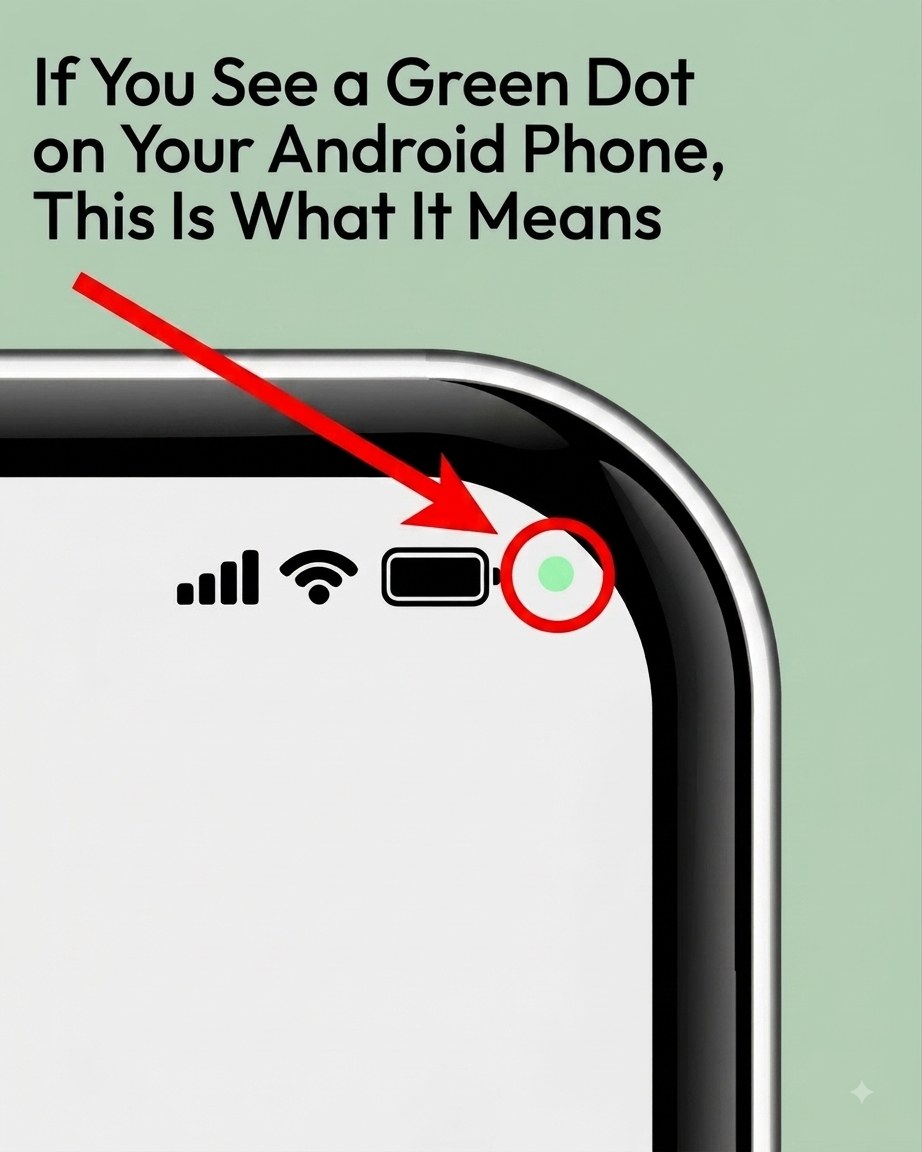
The green dot that appears in the upper corner of an Android screen is a built-in privacy feature. It is not a glitch or a hardware issue. The indicator is designed to alert you whenever an application is actively using sensitive hardware components on your device. Specifically, the dot activates when an app is accessing your camera, your microphone, or both simultaneously.
This visual cue provides real-time feedback about the background activity of your applications. Many users are unaware that apps can continue to operate certain functions even when they are not actively being used on the screen. The green dot ensures that this kind of background access does not go unnoticed.
When the dot appears, it means that one of your installed applications has initiated a session involving the camera or microphone. This could happen during a video call, while recording audio, or when taking a photo. However, it can also occur in situations where you are not actively using such features, which is when the indicator becomes particularly valuable.
How to Identify Which App Triggered the Indicator
If you notice the green dot appearing unexpectedly, you do not need to guess which application is responsible. The Android operating system provides a straightforward method for identifying the source of the activity. By swiping down from the top of your screen, you can open the quick-settings panel.
This panel displays a range of system information and shortcuts. When the green dot is active, the panel will also show you the name of the application that is currently using your camera or microphone. This immediate access allows you to see exactly which app is responsible for the indicator without having to navigate through multiple settings menus.
This transparency is a key element of modern mobile security. Knowing which app is accessing your hardware empowers you to make informed decisions about whether that access is appropriate. If you see an app listed that you did not expect to be using your camera or microphone, you can take action right away.
Managing App Permissions on Your Device
Once you have identified the application that triggered the green dot, you have several options for managing its access. The Android operating system includes a dedicated area for reviewing and adjusting the permissions granted to each app. This is located under the Settings menu, specifically in the Privacy section.
Within this area, you will find a tool called the Permission Manager. This feature provides a comprehensive overview of which apps have access to sensitive functions like the camera and microphone. You can review the list of apps that have permission to use these components and decide whether to keep or revoke that access.
Revoking permission is a simple process. You can select a specific app and change its access settings to deny camera or microphone use. This action will prevent the app from using those components in the future, which will also stop the green dot from appearing when that app is running.
Taking Action Against Unnecessary Access
In some cases, you may discover that an app has permission to use your camera or microphone even though it has no legitimate reason to do so. Many users find apps that request broad permissions during installation but do not actually need those permissions for their core functions. These unnecessary permissions can pose a risk to your privacy.
If you identify an app that should not be listening or watching, you have the option to remove it from your device entirely. Deleting suspicious applications is one of the most effective ways to ensure that they cannot access your hardware. This is particularly important for apps that you do not recognize or that you installed a long time ago and no longer use.
Regularly reviewing your installed applications and their permissions is a good habit for maintaining device security. By keeping only the apps you trust and use, you reduce the chances of unauthorized access to your camera and microphone. The green dot serves as a reminder to stay vigilant about what is running on your phone.
The Importance of Privacy Indicators in Modern Smartphones
The introduction of privacy indicators like the green dot represents a broader shift in how mobile operating systems approach user security. In the past, apps could access hardware components without the user being aware of it. This lack of transparency made it difficult for users to protect their personal information.
Modern privacy features are designed to give users more visibility into the behavior of their applications. Visual cues such as the green dot are part of a larger effort to make device activity more understandable and controllable. These features put the user in charge of their own data and hardware access.
When you see the green dot, you are being given valuable information about what is happening on your device. Rather than ignoring it or assuming it is harmless, you can use it as a prompt to check your settings and ensure that your privacy is protected. The indicator is a tool that works for you, providing constant awareness of your phone’s status.
Green Dot Appears: Building a Safer Mobile Experience
Taking advantage of the privacy features available on your Android device can significantly improve your overall security. The green dot is just one example of how operating systems are evolving to meet the needs of users who are increasingly concerned about digital privacy. By understanding what the indicator means, you can take proactive steps to secure your device.
Reviewing your app permissions on a regular basis is a practical way to maintain control over your personal information. The Permission Manager provides a central location for managing access to sensitive components. Using this tool, you can ensure that only trusted applications have the ability to use your camera and microphone.
Ultimately, the green dot is a simple but powerful reminder that your phone is capable of protecting your privacy if you know how to use its features. Paying attention to the indicators on your screen and acting on them when necessary is a straightforward way to stay safe in an increasingly connected world. Your device is equipped with the tools you need to monitor and manage its activity, and the green dot is one of the most visible signs that those tools are working.